Who can verify
You must be at least 18 years old. Only one verified account is allowed per person. Submitting a different ID type does not bypass that rule.
Referral and bonus facts · reviewed
The RedotPay referral bonus is a 5 USDs sign-up reward for new users who register with an invite or the optional referral field. Official help says the reward is valid for 30 days from the date you receive it, can be used for an online or in-store purchase once your card is active, and cannot pay the card issuance fee. That referral is not the same thing as a card checkout promo code. Enter the referral at registration (this site’s invite is prefilled by the link below). Enter a virtual or physical coupon later, in the Promo code field on the card application screen, and confirm the discounted total before you pay.
Field boundary: a referral code, a card checkout promo code, and a Send transfer-fee promo code are three different fields. A referral cannot be added after sign-up. A card coupon does not go in the registration box. A Send promo code only reduces a transfer fee.
Disclosure: RedotBonus is an independent site and is not affiliated with RedotPay Ltd. The invite is a referral link; we may earn a commission if you sign up, at no added cost to you. Offers can vary by account. Confirm totals in the official app.
How to register
Register with the optional referral field or invite link, verify your email, complete KYC, then apply a card checkout promo code if you want a lower issuance fee. Official registration, referral, and identity-verification articles are linked at the end of this section.
Open the invite link so the referral can be prefilled, or tap Referral Code (Optional) on the login / registration screen and enter a referral before you create the account. RedotPay says a referral cannot be added later.
In the RedotPay app, enter your email address and tap Next.
RedotPay sends a verification code to that email. Enter it in the app to confirm it is you.
Create a password, then tap Sign up.
Provide your details, a photo of a valid original ID, a face scan, and your current residential address. You must be at least 18, and only one verified account is allowed per person.
Sources: How Do I Create a RedotPay Account?, How Do I Use a Referral Code?, and Identity Verification Requirements. A longer walkthrough is on the registration how-to.
Identity verification
These points are taken from official RedotPay identity-verification help, checked 18 Nov 2026. If the app asks for something extra, follow the app.
You must be at least 18 years old. Only one verified account is allowed per person. Submitting a different ID type does not bypass that rule.
A valid original government ID (passport, national ID card, or driver’s licence), a live face scan, and your current residential address. Official help also mentions a short questionnaire, and sometimes extra documents if the system asks for them.
Only original physical IDs are accepted, not copies, screenshots, or photos of a screen. Official help says the ID must remain valid for at least three months from the date you submit it. Enter your name and date of birth exactly as they appear on the document.
Complete the biometric scan with your front camera in good light, without hats, glasses, or masks that cover your face, and with no bystanders in the frame. Enter your true current address in full. If your area has no postal code, official help says to enter 000000.
Sources: Identity Verification Requirements, How to Verify Your Identity, and How to Fix Identity Verification Issues.
Sign-up bonus
This is the official sign-up reward, not a card checkout discount.
RedotPay describes the 5 USDs sign-up reward as a welcome bonus for new users. Official help does not spell out a separate issuance trigger beyond the date you receive it. Check the app instead of assuming a timeline.
Open the RedotPay app and tap your 5 USD balance on the home screen. Select [USDⓈ] to see the reward details and the expiry date.
The reward is valid for 30 days from the date you receive it. Once your card is active, you can use the 5 USDs for any online or in-store purchase.
It cannot be used to pay virtual or physical card application fees. If you want a lower issuance fee, that is the job of a card checkout promo code, not the sign-up reward.
Sources: How Do I Use My 5 USDs Sign-Up Reward? and Are There Any Fees for Getting a Card?. Step-by-step notes are also on the $5 bonus guide.
Referral vs promo code
People often search for a RedotPay promo code, coupon, or referral code and then paste the same string into every box. The fields are not interchangeable, and you cannot add a referral after registration.
| Field | Where to enter it | When it can be entered | What it does | What you cannot do |
|---|---|---|---|---|
| Referral / invite | Referral Code (Optional) on the login or registration screen, or prefilled by an invite link | During registration only | Sign-up / welcome reward eligibility | Cannot be added after the account is set up |
| Card checkout promo code | Promo code field on the card application screen | When you apply for a virtual or physical card | Issuance-fee discount, if the app accepts the code | Does not go in the registration field; use a virtual code for a virtual card and a physical code for a physical card |
| Send promo code | Have a promo code? on the Send page | When you send funds, typically on a first send, and not using your own code | Reduces part or all of the transfer fee, not the amount you send | Is not a card checkout code and is not a registration referral |
Official help for the referral field is How Do I Use a Referral Code?. Official help titled How Do I Use a Promo Code? is about the Send transfer-fee field. The card-application Promo code field is documented here from in-app checkout samples. More on how to apply a card code.
Card offer section
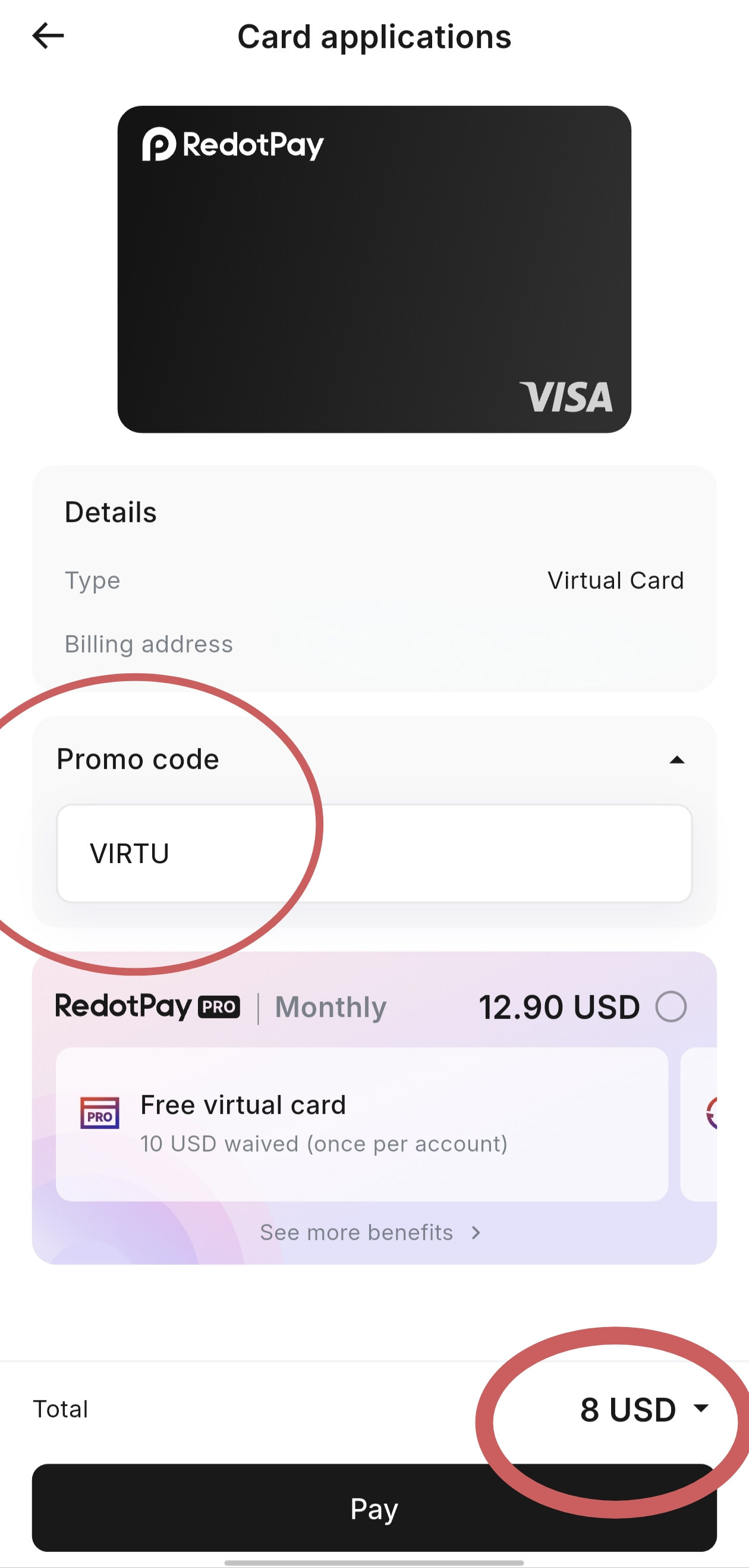
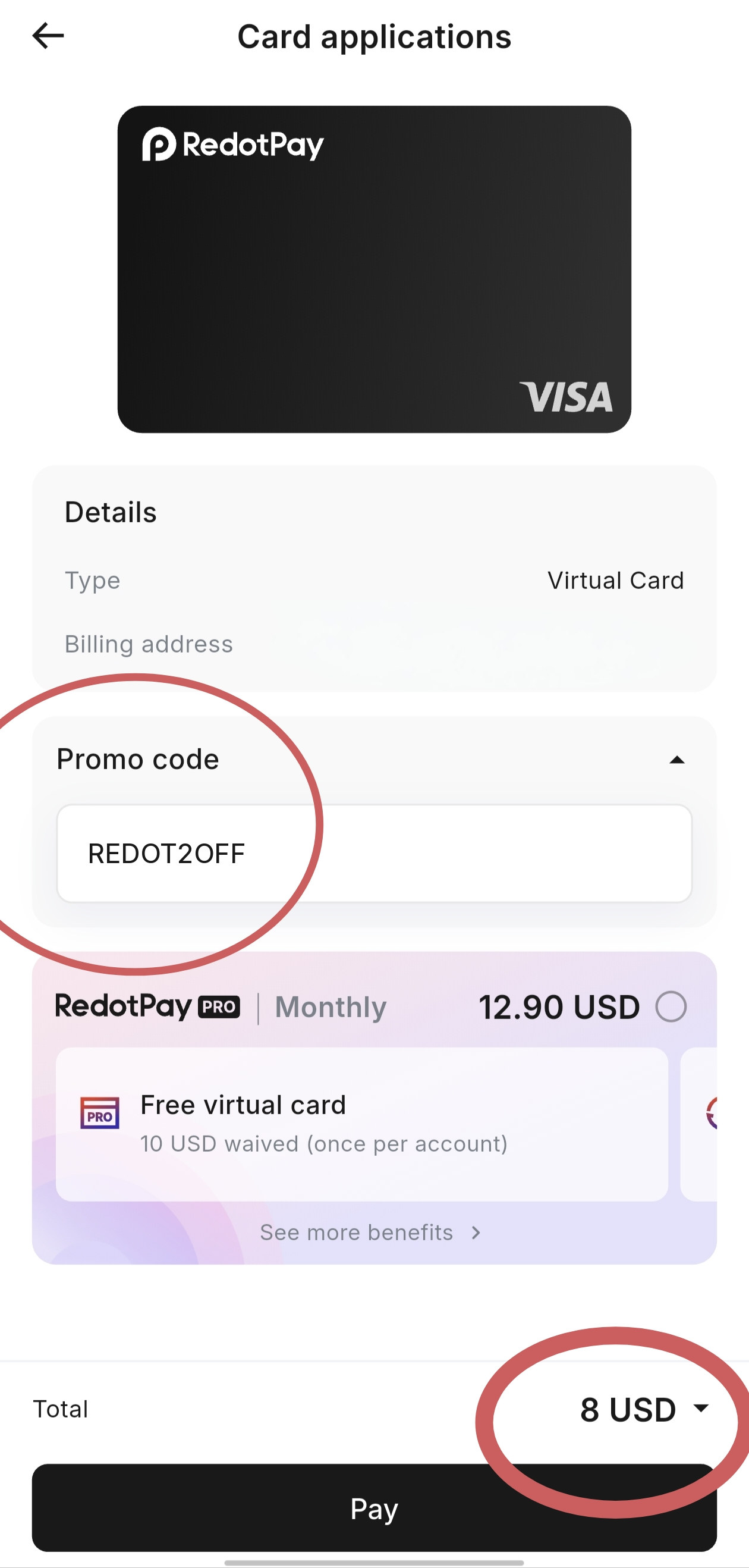
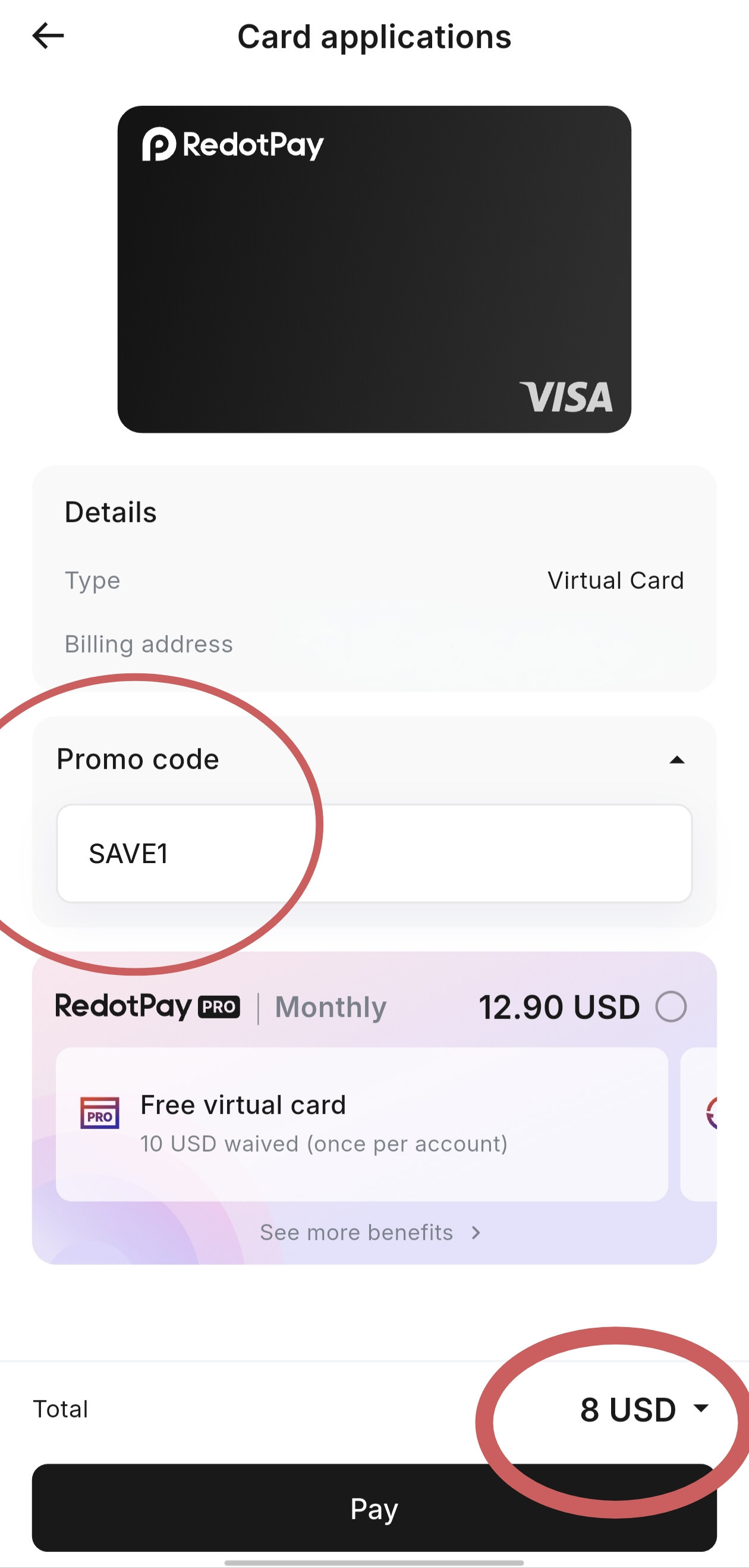
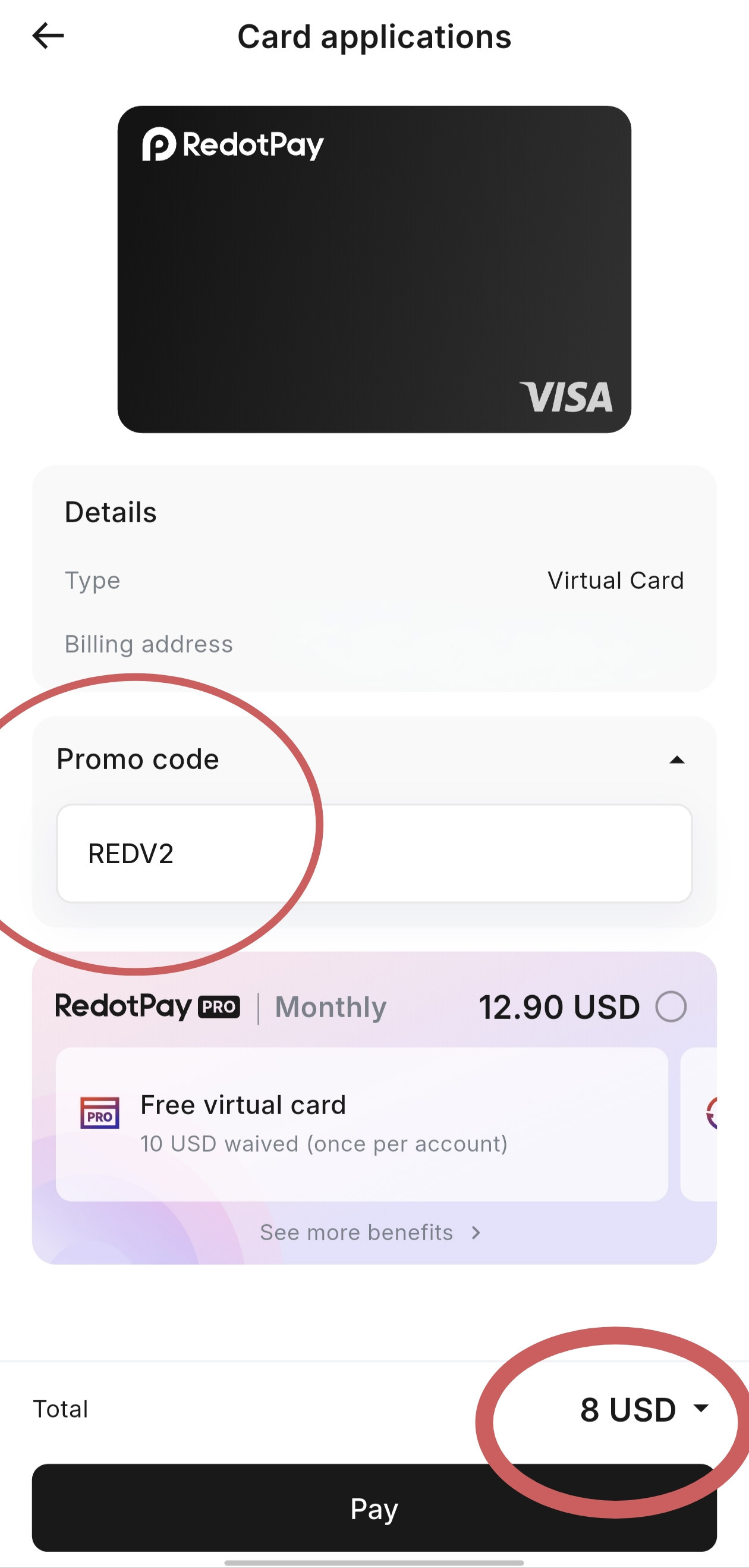
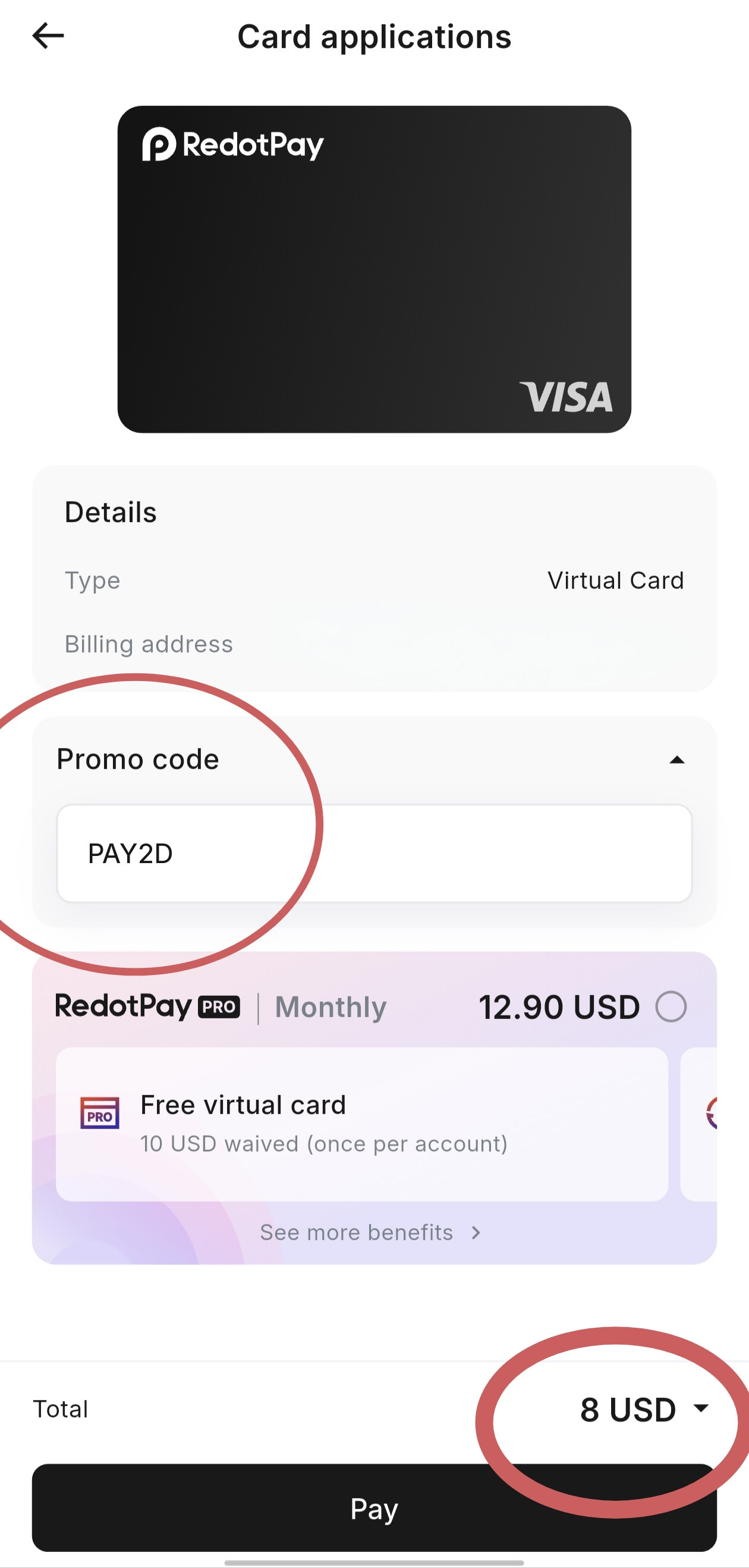
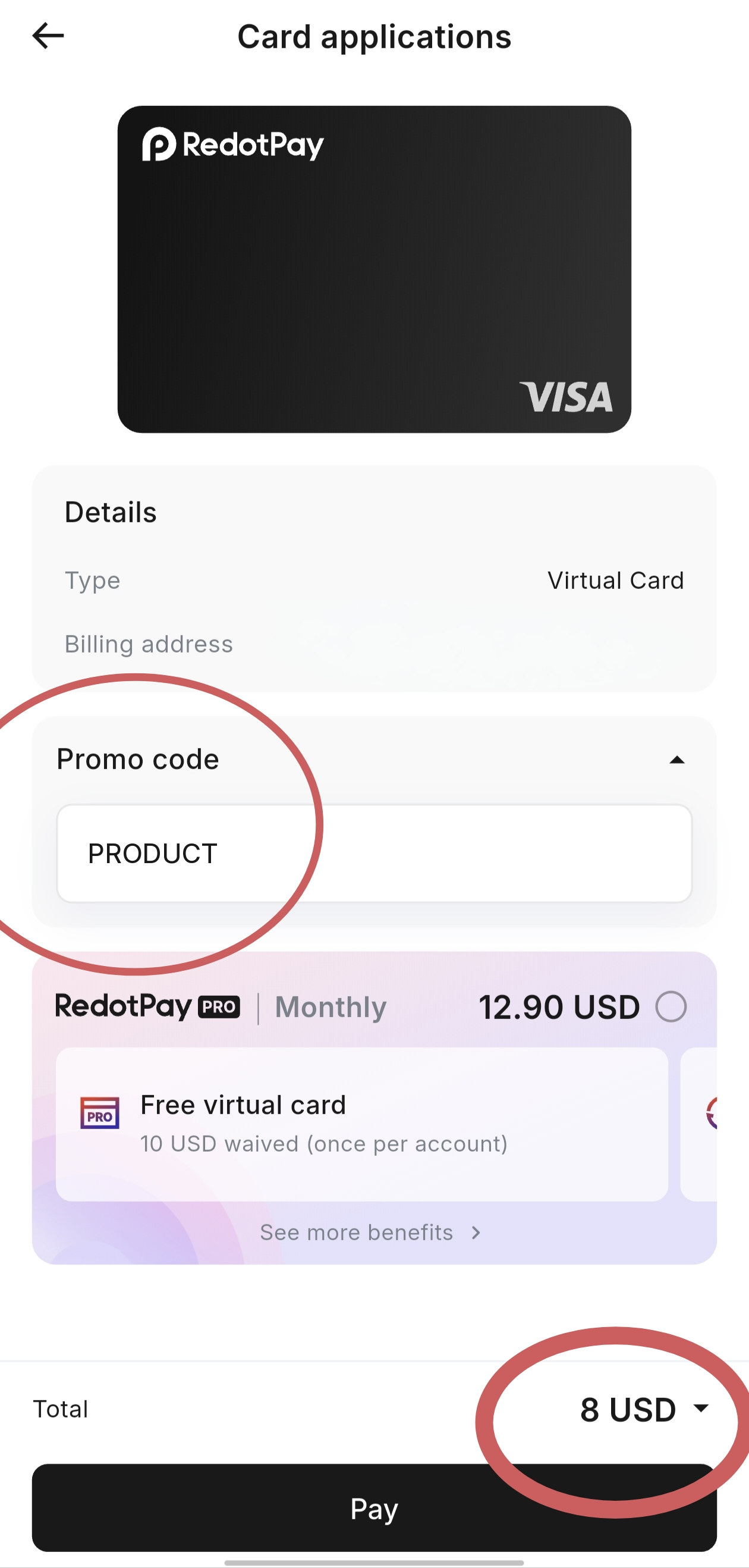
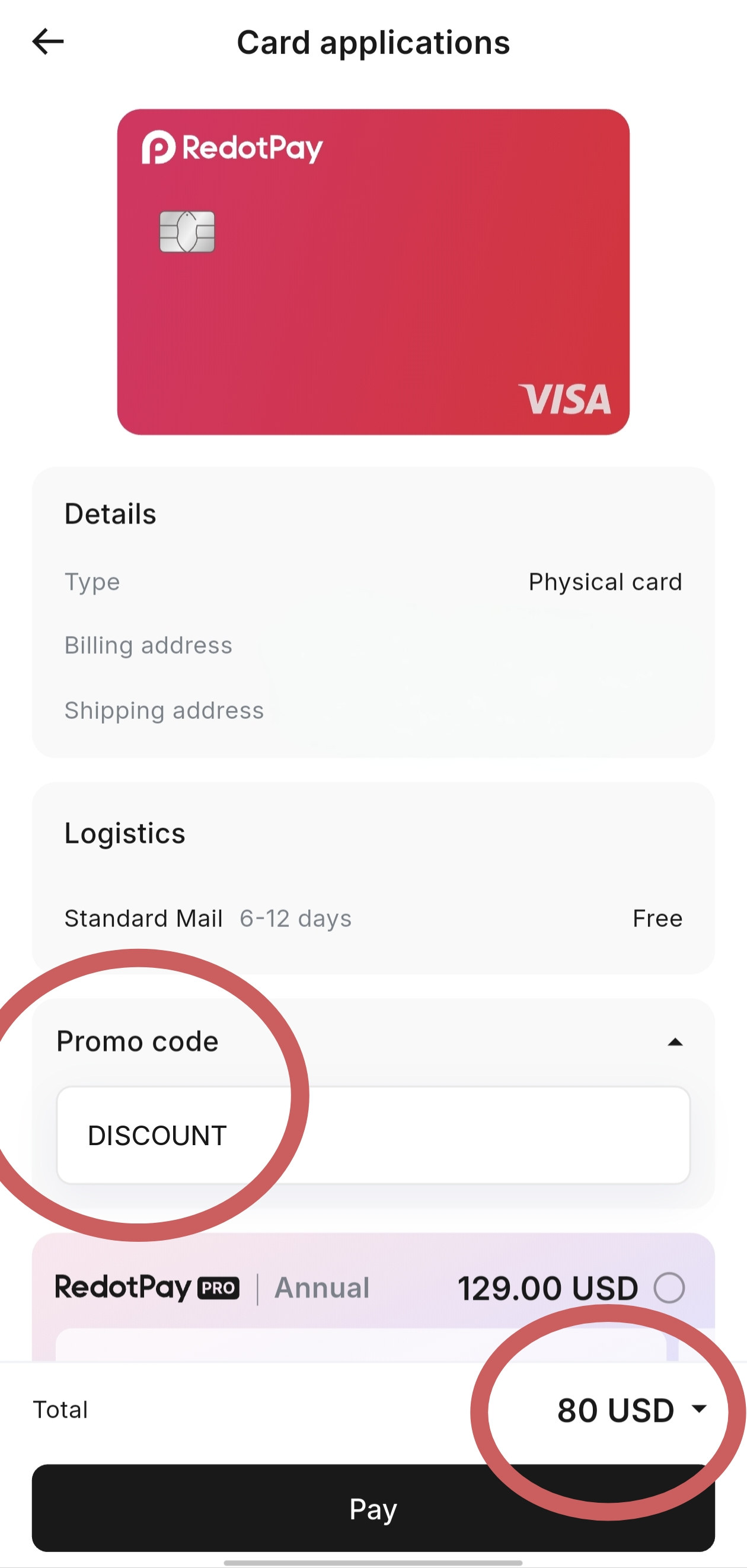
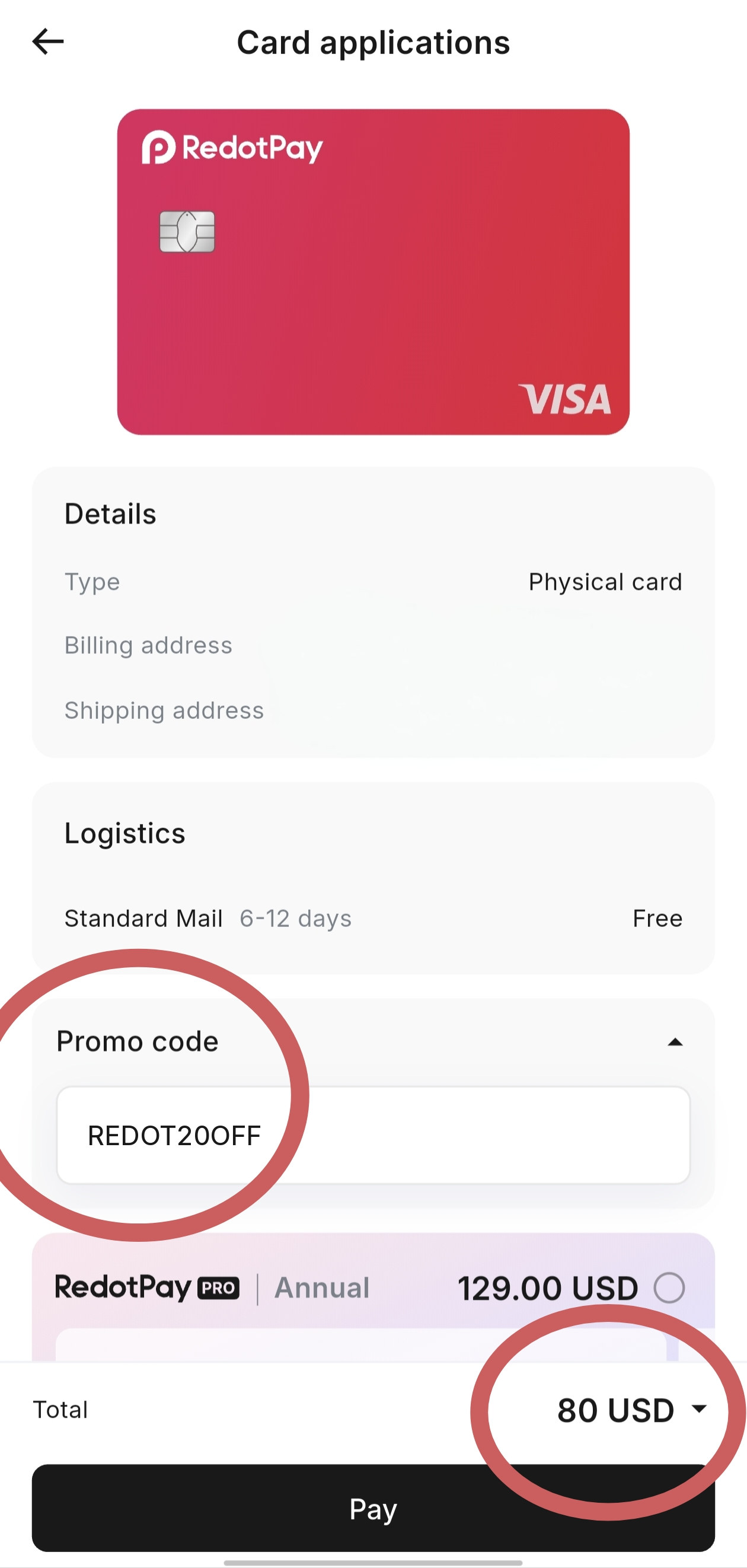
These are card checkout promo codes, not referral codes. Official standard issuance fees are 10 USD for a virtual card and 100 USD for a physical card. The samples below show those fees reduced to 8 USD and 80 USD. Confirm the discounted total at checkout. Codes are presented as active; no public official expiry was published for them on the help pages cited here.
Featured codes: VIRTU, REDOT2OFF, SAVE1, REDV2, PAY2D. PRODUCT is listed as an additional virtual checkout code. Each applies to the virtual card issuance fee.
Virtual checkout promo
VerifiedConfirm the discounted total of 8 USD at checkout. This is not a promise that the code works for every account.
Virtual checkout promo
VerifiedConfirm the discounted total of 8 USD at checkout. This is not a promise that the code works for every account.
Virtual checkout promo
VerifiedConfirm the discounted total of 8 USD at checkout. This is not a promise that the code works for every account.
Virtual checkout promo
VerifiedConfirm the discounted total of 8 USD at checkout. This is not a promise that the code works for every account.
Virtual checkout promo
VerifiedConfirm the discounted total of 8 USD at checkout. This is not a promise that the code works for every account.
Virtual checkout promo
VerifiedConfirm the discounted total of 8 USD at checkout. This is not a promise that the code works for every account.
Additional virtual checkout code, also documented at PRODUCT promo code. It is not exclusive to this site.
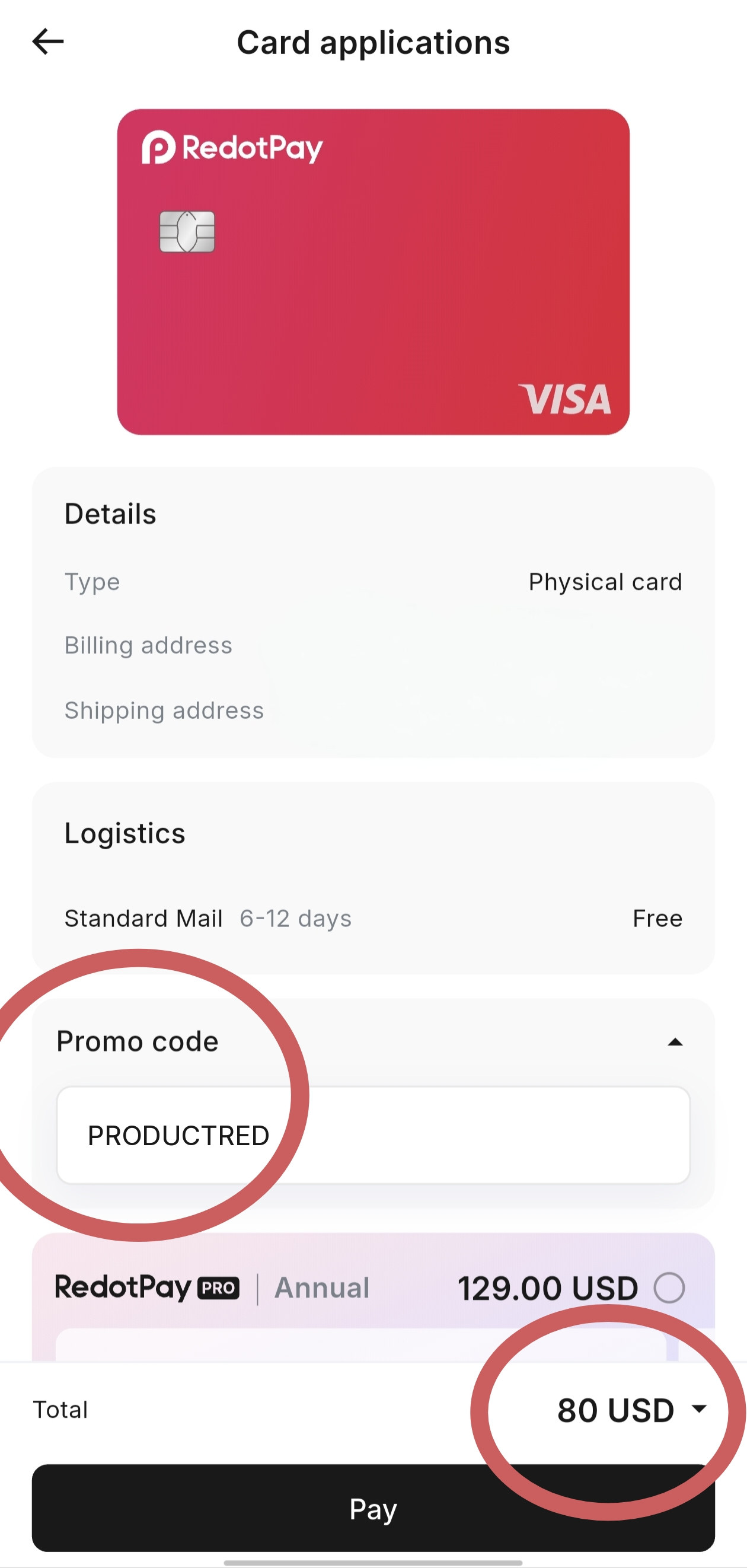
Featured codes: DISCOUNT, REDOT20OFF, REDPHY, CARD2. PRODUCTRED is listed as an additional physical checkout code. Each applies to the physical card issuance fee. The physical checkout sample also showed Standard Mail, 6-12 days, listed as Free, with RedotPay Pro Annual unselected.
Physical checkout promo
VerifiedConfirm the discounted total of 80 USD at checkout. This is not a promise that the code works for every account.
Physical checkout promo
VerifiedConfirm the discounted total of 80 USD at checkout. This is not a promise that the code works for every account.
Physical checkout promo
VerifiedConfirm the discounted total of 80 USD at checkout. This is not a promise that the code works for every account.
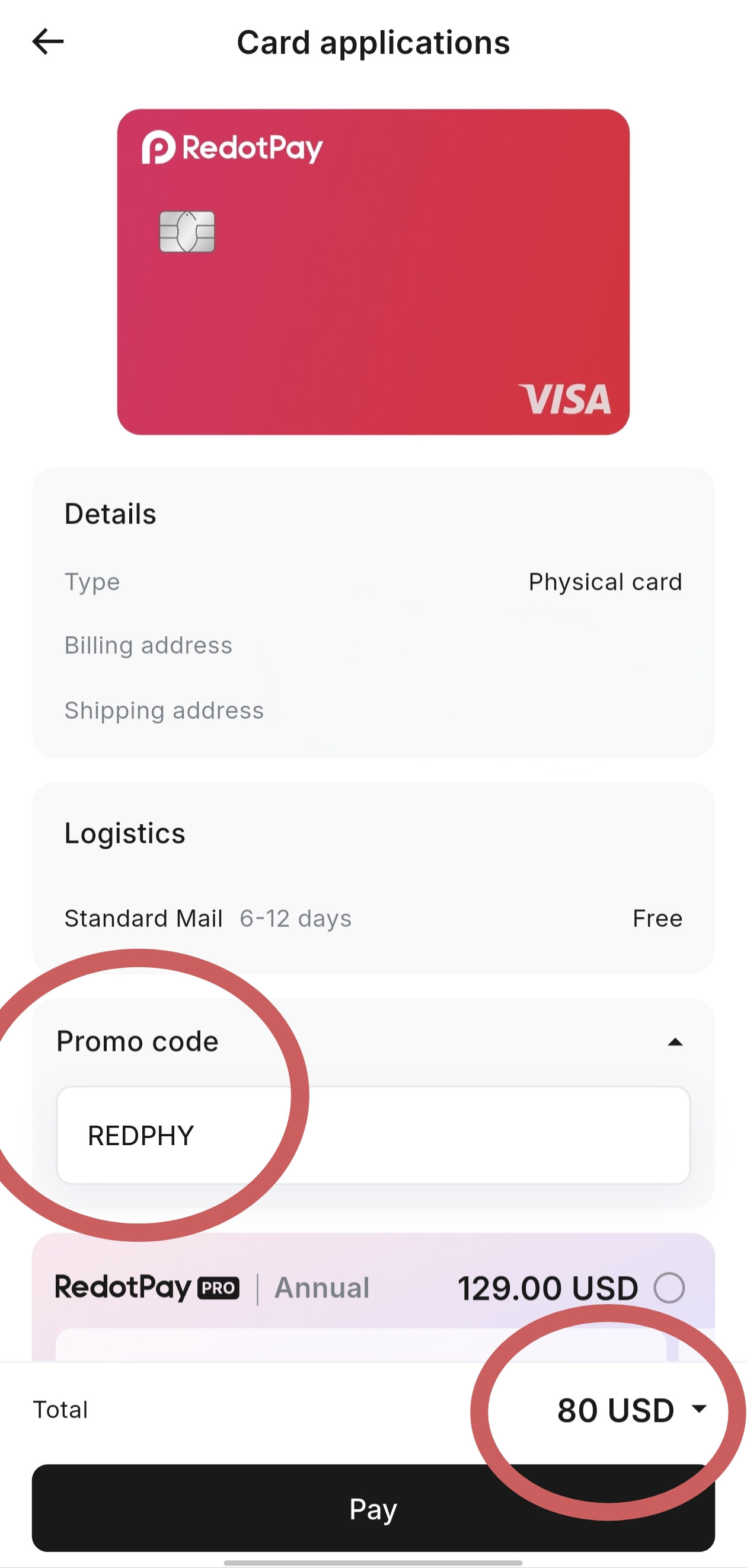
Physical checkout promo
VerifiedConfirm the discounted total of 80 USD at checkout. This is not a promise that the code works for every account.
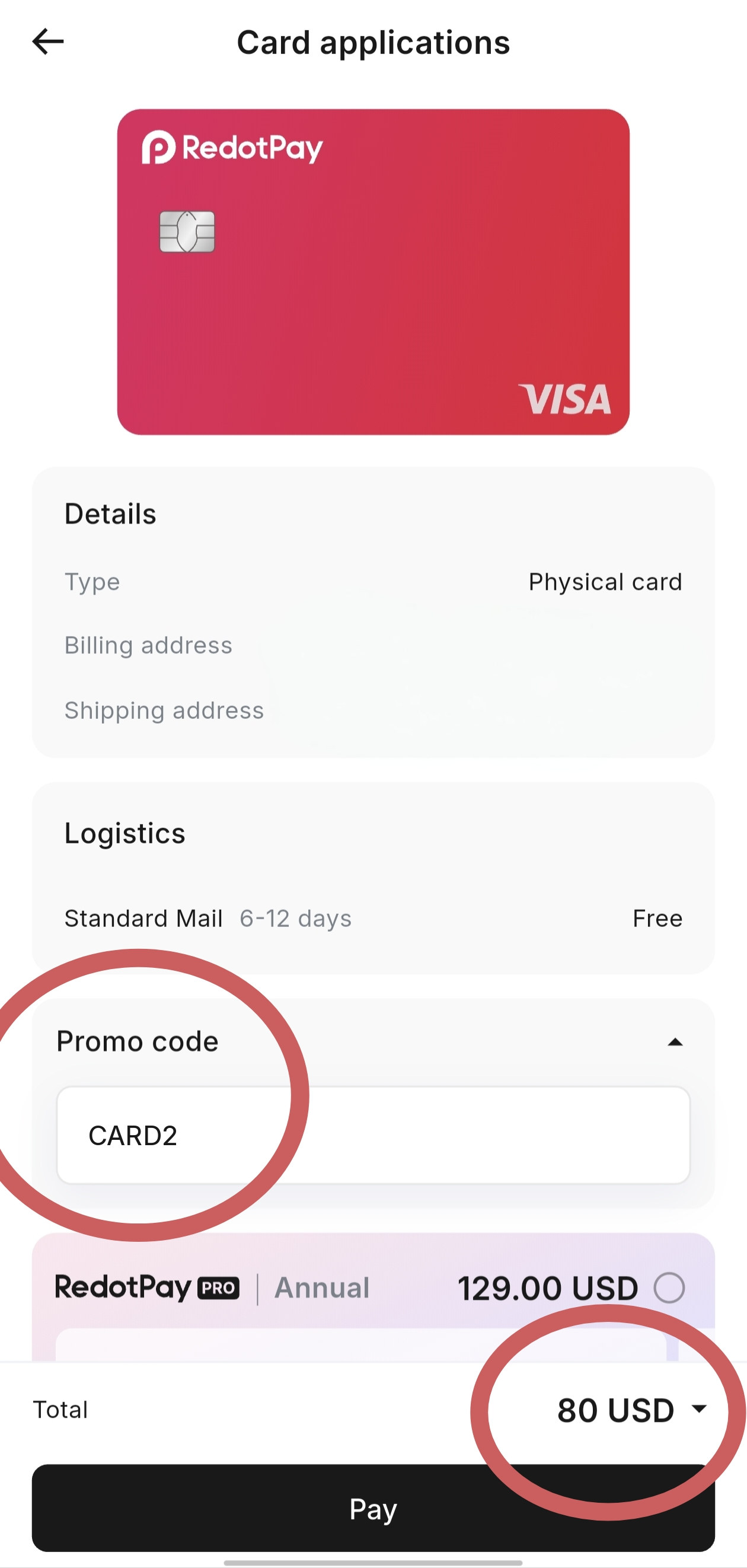
Physical checkout promo
VerifiedConfirm the discounted total of 80 USD at checkout. This is not a promise that the code works for every account.
Additional physical checkout code, also documented at PRODUCTRED promo code. It is not exclusive to this site.
Sign-up invite, not a checkout code
This site’s invite is https://url.hk/a/d7nqb8. Open that link so the referral can be prefilled at registration, or use the optional referral field before you create the account. It does not go in the card checkout Promo code field.
Standard fees: Are There Any Fees for Getting a Card?. Card steps: virtual card and physical card. A RedotPay Pro membership is a separate paid plan that can waive an issuance fee; the samples here have Pro unselected. See also the card promo code page and virtual vs physical.
Check each gate separately
Clearing one of these does not automatically clear the others. Treat them as separate decisions.
Whether you can open and use the app in your current location is governed by official location-based access rules. This is not the same as whether you can finish KYC.
Whether you can create an account and complete identity verification depends on official unsupported-country rules, the age and one-account limits, and a successful ID and face scan.
Whether you can be issued a virtual or physical card, and whether a billing address is accepted, is a separate official list from KYC. Payment of the issuance fee is taken from your account balance and cannot be paid with the $5 sign-up reward.
Shipping a physical card is another official list again. A billing address that works for issuance does not guarantee that RedotPay can deliver a card to your shipping address.
Adding the card to a mobile wallet is a separate step from issuing the card. Official help pages cited here do not give a country-by-country wallet list, so confirm in the app and with the wallet provider.
Whether a shop, website, or payment terminal accepts the card is a merchant decision. Issuing a card does not guarantee that every merchant will take it.
Restrictions
This page does not invent a supported-country list, and it does not offer local-law advice. RedotPay publishes four separate official lists, and those lists can change.
See Unsupported Countries/Regions. Citizenship or residency on that list means you cannot complete identity verification or use the service, according to official help.
See Location-Based Access Restrictions. Being able to travel, or holding a passport from a supported country, does not automatically mean the app will open where you are standing.
See Card Issuance Restrictions. Official help says residents of listed areas are ineligible for virtual and physical cards, and those locations cannot be registered as billing addresses.
See Card Delivery Restrictions. Official help also notes, on the physical-card article, that physical cards are not available in every country.
Light local notes are on the Bangladesh and Algeria pages. They explain the same reward and field rules; they are not a statement that every product is available there. Always check the official lists above.
When something fails
Most “promo code not working” reports are a field mix-up, a card-type mismatch, or a balance problem. A longer fix list is on the promo code not working page.
That is expected. Official help says a referral can only be added during registration. If the account already exists, a later code will not attach. The card checkout field will not fix a missed referral.
Open the app home screen and tap the 5 USD balance, then select USDⓈ to see details and expiry. Official help does not publish a separate issuance clock, so use that screen as the source of truth. If nothing is there, the invite may not have been applied at registration.
Make sure you are on the right screen. The referral field is on the login / registration flow. The card Promo code field is on the card application screen. The Send promo field is behind Have a promo code? on the Send page. Update the app if a field you expect is absent.
Check the spelling, the card type, and the total. A virtual code belongs on a virtual card order; a physical code belongs on a physical card order. Do not enter a checkout code in the referral box, or a referral in checkout. If the total is still 10 USD or 100 USD, the code was not accepted for that account.
The remaining issuance fee still has to be paid from your account balance. The $5 sign-up reward cannot cover it. Official help also says card-application payments cannot be cancelled or refunded once they go through, so only tap Pay if the total is the one you expect.
The referral, the card coupon, and a Send promo code do not stack in a single field. You can use a referral at sign-up and a card code later at checkout, but the sign-up reward still cannot pay the remaining card fee.
Common questions
Short answers first, then the official rule behind them.
Use a registration invite or the optional referral field at sign-up. The official $5 sign-up reward is a spend credit for new users. It is valid for 30 days from the date you receive it, and it cannot pay the card issuance fee. Open the invite before you create the account, because a referral code cannot be added later.
It depends on which kind of code you have. A referral or invite belongs in the optional referral field at registration, or is prefilled by the invite link. A card coupon such as VIRTU or DISCOUNT goes in the Promo code field on the card application screen. A Send promo code is entered under Have a promo code? on the Send page, and it only reduces a transfer fee.
They are different fields and they do different jobs. The referral is for the sign-up reward and can only be entered during registration. A card promo code, sometimes called a coupon, reduces the card issuance fee at checkout. A Send promo code reduces a transfer fee. One does not replace the other.
No. RedotPay says a referral code can only be added during registration and cannot be applied once the account is set up.
No. Official help states the 5 USDs sign-up reward cannot be used to pay virtual or physical card application fees. Use it for an online or in-store purchase after the card is active.
The virtual checkout codes featured here are VIRTU, REDOT2OFF, SAVE1, REDV2 and PAY2D, plus the additional code PRODUCT. Each is a $2 discount on the usual $10 virtual issuance fee. Confirm that the total shows 8 USD before you pay. Availability can vary by account.
The physical checkout codes featured here are DISCOUNT, REDOT20OFF, REDPHY and CARD2, plus the additional code PRODUCTRED. Each is a $20 discount on the usual $100 physical issuance fee. Confirm that the total shows 80 USD before you pay. Availability can vary by account.
Check that you are in the right field, and that the code matches the card type. Referral codes will be rejected after sign-up. A virtual code will not apply to a physical card order, and the other way around. If a checkout discount appears but payment still fails, you still need enough balance to cover the remaining issuance fee, because the $5 reward cannot pay it.
Yes. Identity verification is required to use RedotPay. Official rules say you must be at least 18, may have only one verified account per person, and need a valid original ID, a face scan, and your current address.
Not by default. Official issuance fees are 10 USD for a virtual card and 100 USD for a physical card. The checkout codes on this page reduce those fees to a confirmed total of 8 USD or 80 USD when the app accepts the code. A separate RedotPay Pro membership can waive an issuance fee; the checkout samples shown here have Pro unselected.
It is not a card checkout code. Official help says a Send promo code is entered on the Send page to reduce part or all of a transfer fee, not the amount you send. It is a different field from both the registration referral and the card Promo code field.
Yes, in the sense that they go in different fields at different times. The referral is entered at registration. The card promo is entered later, on the card application screen. They do not stack in a single box, and the $5 sign-up reward still cannot pay the remaining card fee.
Official help says the reward is valid for 30 days from the date you receive it. Tap the 5 USD balance on the app home screen to see the expiry date. Use it on a purchase after the card is active.
Only if your location clears official card delivery rules, which are separate from app access, KYC, and card issuance. RedotPay publishes a card delivery restrictions list. The checkout sample we used showed Standard Mail, 6-12 days, listed as Free; that is what that screen showed, not a worldwide shipping promise.
Sources and disclosure
Affiliate disclosure: RedotBonus is an independent facts guide. It is not an official RedotPay website and is not a partner unless RedotPay has said so, which it has not on this site. If you sign up through https://url.hk/a/d7nqb8, we may earn a commission, at no added cost to you.
Internal pages that continue this guide: the RedotPay promo code list, the shorter guide, how to get the $5 bonus, how to apply a promo code, promo code not working, and the editorial policy.
Official RedotPay Help Center pages used for this review (18 Nov 2026):